
Homepage › On-line… › Direct Banking › Configuration… › Set up the…
Configuration Wizard
Set up the correct actual time
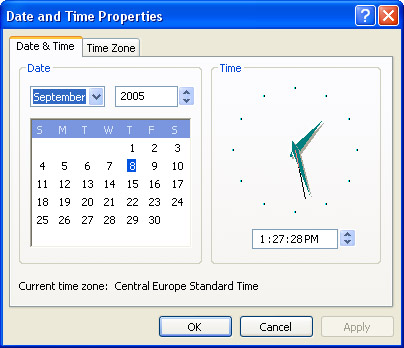
- In the Windows XP, 2000, 2003 Server choose Start / Control panel. Click on the Date and Time menu item.
- Set up the correct actual time in newly opened window.
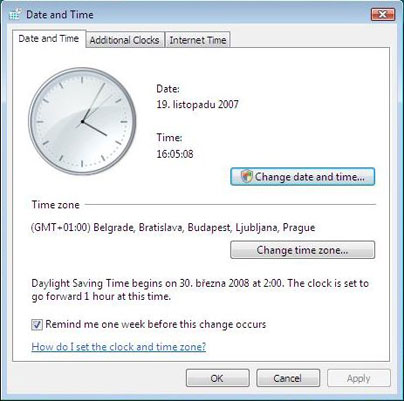
- In Windows Vista choose Start / Control panel / Clock Language, and Region / Date and Time / Change date and time.
- Set up the correct actual time in newly opened Windows as an administrator.
In case of urgency please call our hotline on 485 261 234.
Direct Banking
- Mojebanka on-line (link will open in a new window)
- Expresní linka Plus on-line (link will open in a new window)
Useful links
Video Guide
First Login
Contact Us
Press Releases
Searching
- Contacts
- FAQ
- Products from A to Z
- KB EU Point
- Investor Relations
- Documents
- Sitemap
- Declaration of Accessibility
- Dictionary
- Pricelist (link will open in a new window)
- TF OnLine (link will open in a new window)
- Partners (link will open in a new window)
- G2 (link will open in a new window)
- Mojekarta (link will open in a new window)
© 2010 Komerční banka – Société Générale Group (link will open in a new window)